
Timeline editing
Use this when
Section titled “Use this when”Use Video Timeline when the host needs to present tracks, clips, keyframes and editing gestures over its own media model.
Gallery capture
Section titled “Gallery capture”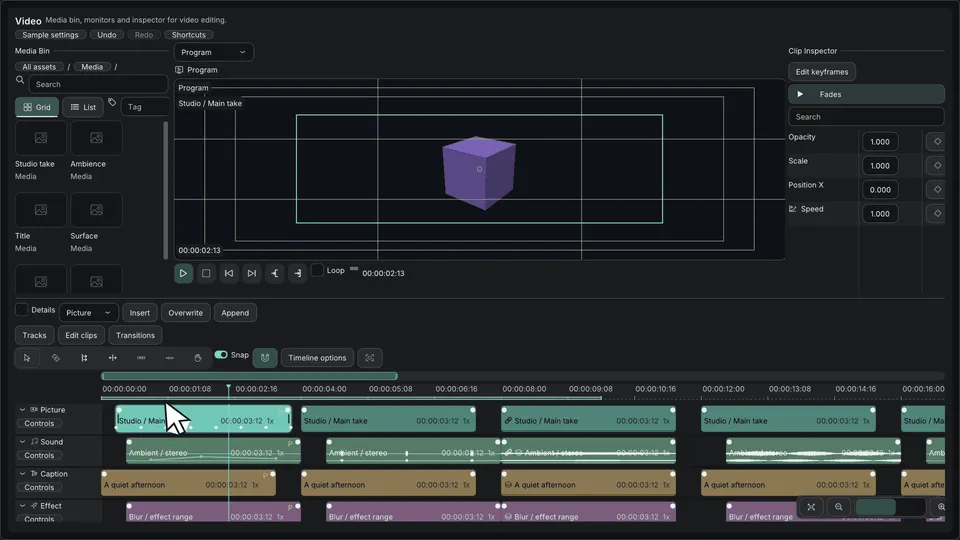
Timeline — clip, track and edit controls · Open the native Gallery animation
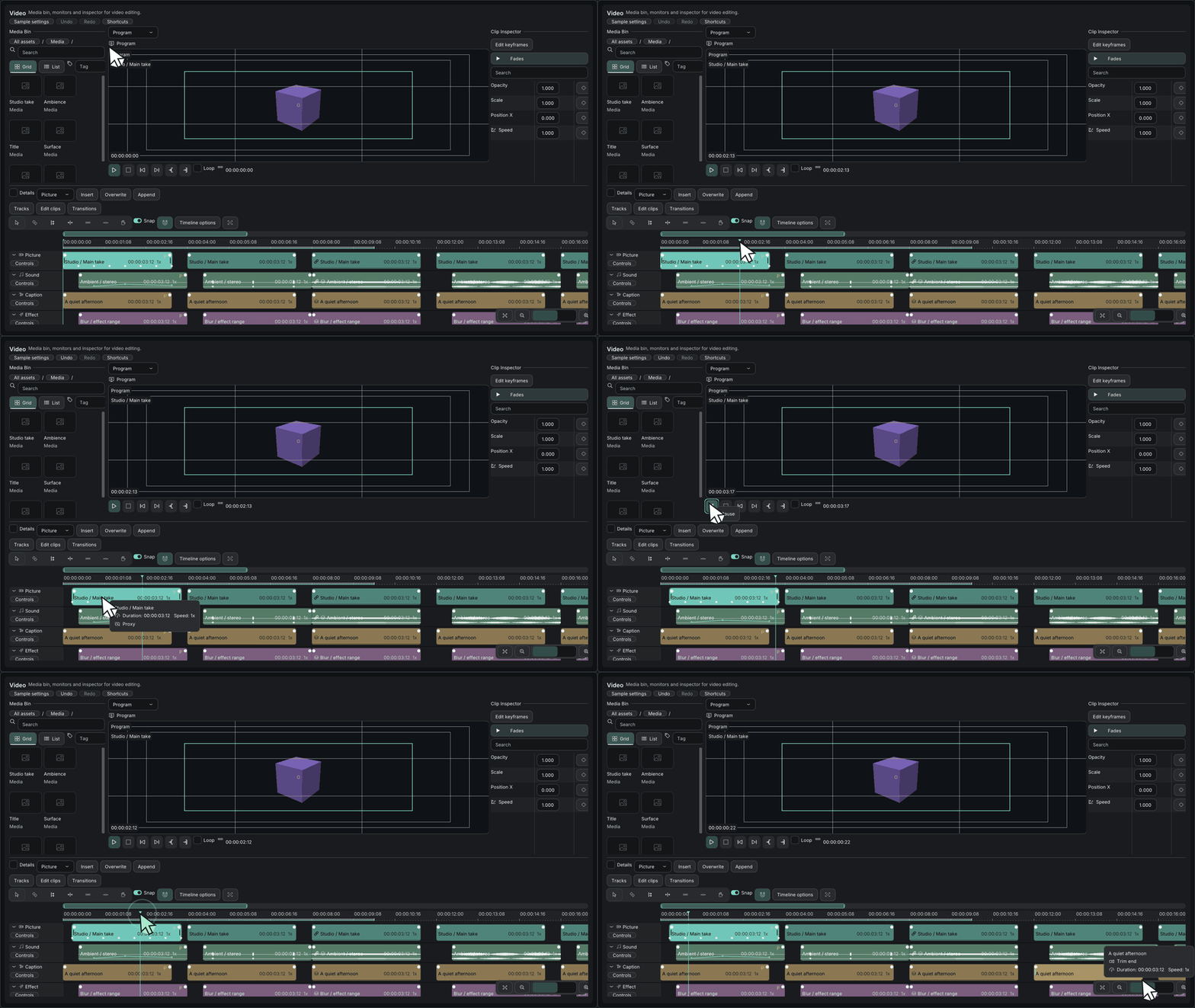
Minimum drawing example
Section titled “Minimum drawing example”#include <imkit/video.h>#include <imkit/editor_core.h>
void DrawTimeline(const imkit::video::TimelineProvider& provider, imkit::video::TimelineState& state, imkit::editor::Selection& selection, imkit::editor::EventBuffer& events, const imkit::Theme& theme) { imkit::video::Timeline("timeline", provider, state, selection, events, theme);}Example type: Host-state function excerpt. The host owns provider data, the event buffer and all edit application.
Integrate with the application
Section titled “Integrate with the application”Handle complete Begin/Update/Commit/Cancel event batches and validate revision and collisions before changing the model.
Timeline is an editing UI, not a playback engine, media decoder or project persistence system.
Related API and guides
Section titled “Related API and guides”The timeline’s optional TimelineEditingProvider enables independent clip fades, cut transitions, rectangular selection, and validated track-to-track moves. Without the provider, the legacy transition controls remain available. Providers, borrowed views, clipboards and undo history are owned by the host.
- Drag either upper clip handle to create or resize a fade, including from zero. Right-click the handle for duration, Linear/Ease in/Ease out, and removal.
- Drag Dissolve or Crossfade from
TransitionShelfonto an adjacent cut. Drag the band to resize it; its context menu edits the duration or removes it. Dissolve targets video and Crossfade targets audio. The provider’s media-handle limit bounds the initial one-second duration and subsequent edits. Video also supports Dip to black (TransitionKind::Fade) in the shelf and type menu. - Drag empty timeline space to select intersecting clips. Shift adds and Ctrl toggles. Drag a selected clip to preserve the selection. The destination callback maps every member using the same track offset;
canMovevalidates the complete set. - Click track names to select rows. Shift adds and Ctrl toggles. Drag a selected name onto another name to insert the selected rows before it, in original order. The Tracks menu adds, duplicates and removes tracks. Non-empty removal is confirmed. The upper/lower half of a name accepts insertion before/after that row; with a host-provided
trackAfter, the last row’s lower half appends. - Ctrl+wheel zooms about the pointer; Shift+wheel scrolls horizontally; the wheel scrolls vertically. +/− zoom about the view center. Fit, Fit selection and overview range handles provide explicit navigation. Active gestures scroll at the viewport edges.
- The Edit clips menu sends Copy/Cut/Paste requests. Paste uses the playhead and the active track, preserving relative time and track offsets. The host implements Insert or Overwrite and rejects incompatible destinations atomically.
Event contract
Section titled “Event contract”ClipFades targets a clip: first/last are in/out durations in ticks; x/y are FadeCurve values. CutTransition targets the left clip: parent is the right clip, first is total duration and x is TransitionKind. Zero duration removes the transition. A cut must remain adjacent, on the same unlocked track, with enough source media on both sides. EvaluateFade evaluates clip-local fade gain; it does not decode media or apply an audio/video effect.
TrackEdit uses offset=TrackAction, parent=insertion-before track (zero appends) and x=TrackKind when adding. Clipboard uses offset=ClipboardAction, first=playhead, parent=destination track, and x=PlacementMode.
Public structures gain appended fields. Rebuild consumers; binary compatibility with previously compiled structures is not promised. Existing enum values and function signatures retain their meanings. No backend or ImGui version changes.
Verification
Section titled “Verification”Verified on Windows x64 in Debug: video public-IO tests, Editor Core, CG, icon and API compile fixtures; an independent host-ImGui consumer compiled, linked and ran. The Gallery’s --verify-timeline-model and existing inspector model checks passed. --verify-timeline-ui passed native OpenGL/public-IO fade creation, preview/commit, Undo, multi-track selection and append/reorder. Its 100k-clip fixture retained visible-row/clip queries (under 64 rows and 1000 clips per inspected frame). All 238 icons passed six-size alpha/atlas consistency checks. Native dark/light captures were inspected, including the new 3D set at 16, 20 and 24 pixels.
Generated logs and captures live under out/timeline-ui/; they are not committed. Release/distribution, actual media processing, native OS/IME and external application integration were not run for this change.
Implementation and verification results are recorded separately in the task’s completion report. Public IO checks do not establish native OS/IME, real-media processing or integration into another application.