
Components
Use this when
Section titled “Use this when”Use the components module when a creative tool needs consistent settings rows, buttons, inputs and feedback while keeping its existing Dear ImGui context and application values.
Gallery capture
Section titled “Gallery capture”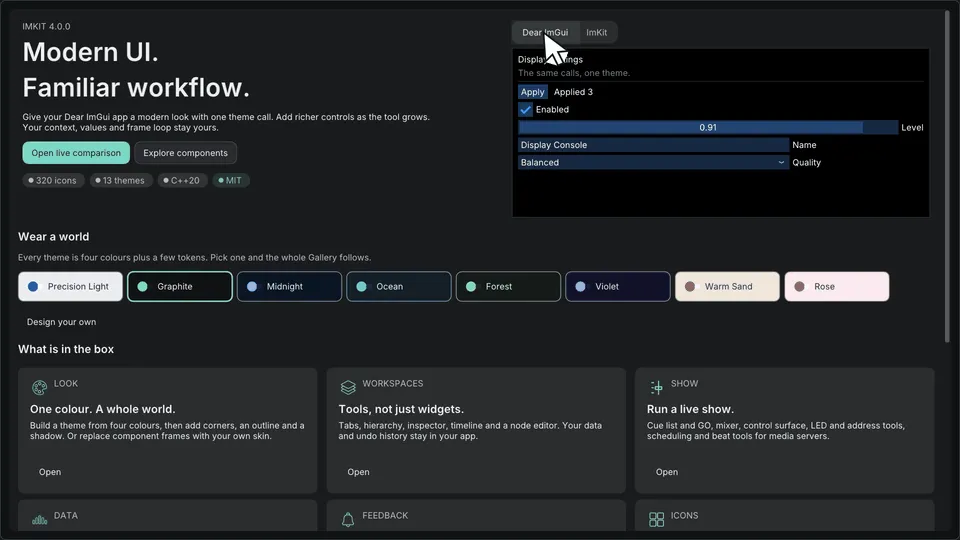
Components — settings, selection and feedback · Open the native Gallery animation
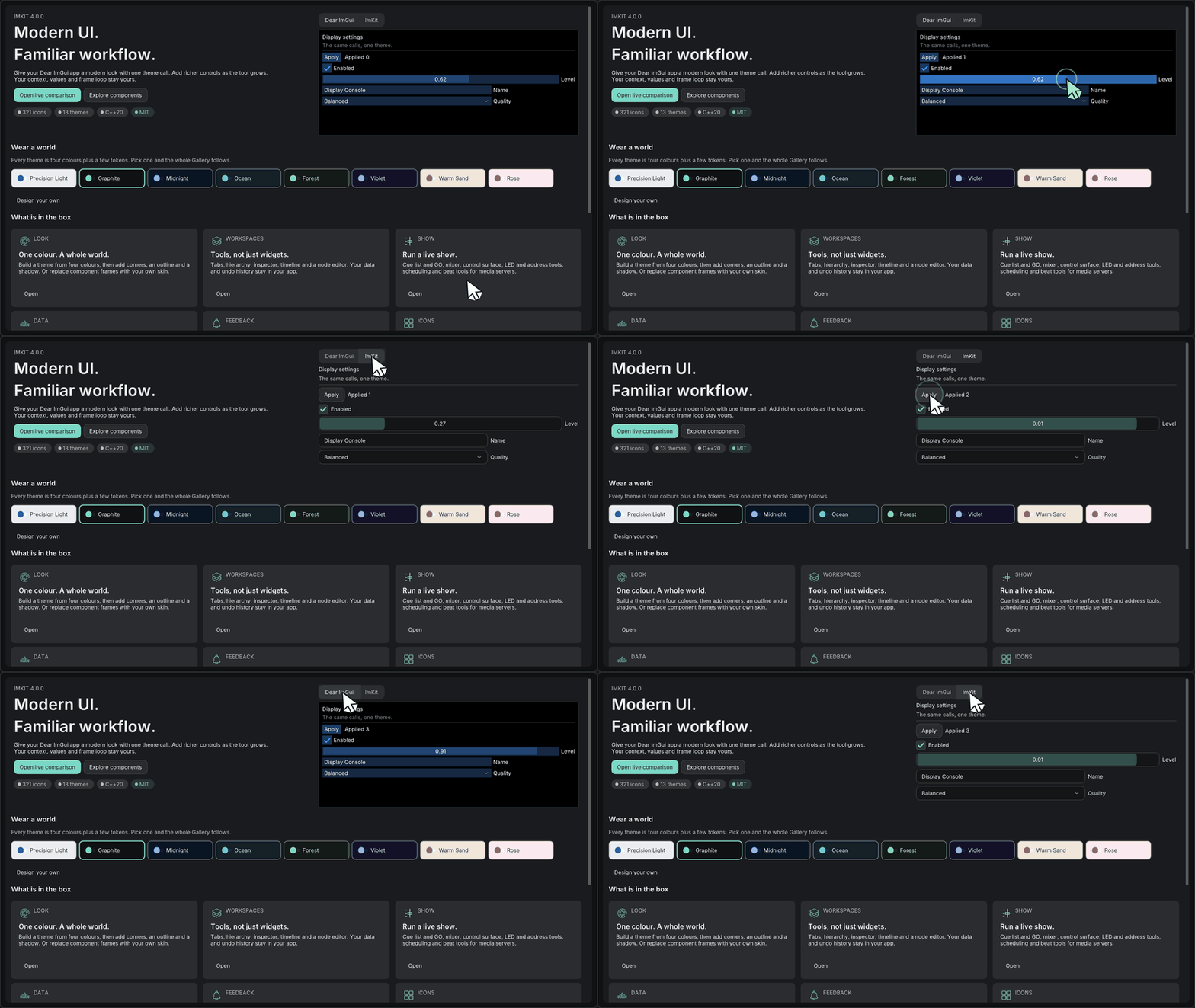
Minimum drawing example
Section titled “Minimum drawing example”#include <imkit/imkit.h>
void DrawApplyButton() { if (imkit::ActionButton("Apply", imkit::ActionVariant::Primary)) { // The application validates and applies its own document state. }}Example type: Function excerpt for an existing application frame. Call it between NewFrame and Render, then handle the returned activation in the application.
Integrate with the application
Section titled “Integrate with the application”Link imkit::imkit. Edited values and stable IDs stay in the application; use the returned boolean as an action request.
These are immediate-mode controls, not an application model, persistence layer or command dispatcher.
Related API and guides
Section titled “Related API and guides”ImKit components are small compositions over public Dear ImGui behavior. Edited values, lifetime and persistence remain in the host. The recipe below shows a complete frame-level settings panel; the smaller examples that follow highlight individual controls.
Complete settings panel
Section titled “Complete settings panel”Keep the values in application state and draw the panel during the host’s existing Dear ImGui frame. The function returns a save request; it does not write a file or own a notification queue.
#include <imkit/imkit.h>#include <array>
struct DisplaySettings {    bool enabled = true;    int quality = 1;    char qualitySearch[64]{};    float exposure = 0.0f;    char name[128] = "Main display";    bool showSavedNotice = false;};
bool DrawDisplaySettings(DisplaySettings& settings, const imkit::Theme& theme, double now) {    imkit::ThemeScope themeScope(theme); // Same live context; destroyed before that context.    bool saveRequested = false;    if (imkit::Begin("Display settings")) {        imkit::Toggle("Enabled", &settings.enabled, {&theme});
        if (imkit::BeginSettingRow("quality", "Quality")) {            constexpr std::array<const char*, 3> labels{"Draft", "Balanced", "High"};            imkit::SearchableCombo("##quality", &settings.quality, labels,                                   settings.qualitySearch, sizeof(settings.qualitySearch));            imkit::EndSettingRow();        }
        if (imkit::BeginSettingRow("exposure", "Exposure")) {            imkit::DragFloatWithUnit("##exposure", &settings.exposure, "EV", 0.01f, -8.0f, 8.0f);            imkit::EndSettingRow();        }
        imkit::InputTextWithHint("Name", "Required", settings.name, sizeof(settings.name));        const bool invalidName = settings.name[0] == '\0';        imkit::ValidationMessage("Enter a name before saving.", invalidName, imkit::ComponentOptions{&theme});        imkit::BeginDisabled(invalidName);        saveRequested = imkit::ActionButton("Save", imkit::ActionVariant::Primary, {}, {&theme});        imkit::EndDisabled();
        if (settings.showSavedNotice &&            imkit::NotificationCard({"saved", "Settings saved", imkit::StatusKind::Success, 0}, now, imkit::ComponentOptions{&theme})) {            settings.showSavedNotice = false; // The host handles the dismiss request.        }    }    imkit::End(); // Pair with Begin even when it returned false.    return saveRequested; // The host persists settings and decides when to show a notice.}
Call this from the host’s frame after NewFrame() and before Render(). When it returns true, validate and persist DisplaySettings in the host, then set showSavedNotice. Keep Theme, font pointers, the Dear ImGui context and the panel state alive in the host.
Primary action
Section titled “Primary action”if (imkit::ActionButton("Apply", imkit::ActionVariant::Primary, {}, {&theme, &animation})) SaveSettings();Use primary once per decision area. Secondary, ghost and destructive variants express intent without changing button activation semantics.
Boolean and mixed state
Section titled “Boolean and mixed state”imkit::Toggle("Enabled", &enabled, {&theme, &animation});imkit::IndeterminateCheckbox("Inherited", &state);Toggle returns whether the value changed. IndeterminateCheckbox moves Mixed to Checked on activation; store its enum beside the rest of the host model.
Search and validation
Section titled “Search and validation”imkit::SearchableCombo("Quality", &quality, labels, search, sizeof(search), disabled);imkit::InputTextWithHint("Name", "Required", name, sizeof(name));imkit::ValidationMessage("A name is required", name[0] == 0, imkit::ComponentOptions{&theme});Search buffers and selected indexes are host-owned. Validation draws feedback but does not reject or store values.
Settings and units
Section titled “Settings and units”if (imkit::BeginSettingRow("exposure", "Exposure")) { imkit::DragFloatWithUnit("##value", &exposure, "EV", .01f, -8.f, 8.f); imkit::EndSettingRow();}Call EndSettingRow only when BeginSettingRow returns true. Native scalar parsing and precision are preserved.
For a three-axis drag value, use DragVector3WithUnit("Offset", values, "cm", .1f, -10.f, 10.f). Each axis remains a native DragFloat; the label scopes its stable IDs and narrow widths stack the fields.
For a labeled inspector field, use AxisVector3Field("position", "Position", values, "m", .01f). It keeps X/Y/Z colors and native drag or direct numeric input, stacking the axes when space is limited. Hosts that need edit lifecycle events can receive activation, commit, and cancellation through the final AxisVector3Interaction* argument. CompactIconActionButton pairs an atlas icon with a visible label and a subtle role accent for compact tool groups; the host owns the atlas and action state.
Status and notification
Section titled “Status and notification”imkit::StatusBadge("Ready", imkit::StatusKind::Success, imkit::ComponentOptions{&theme});if (imkit::NotificationCard({"saved", "Settings saved", imkit::StatusKind::Success, 0}, now, imkit::ComponentOptions{&theme})) dismissSavedNotice = true;Notification expiry and removal belong to the host. More overload-level details are in API coverage.
Compact status and actions
Section titled “Compact status and actions”imkit::CompactActionRowOptions row;row.statusText = streaming ? "Streaming" : "Stopped";row.statusKind = streaming ? imkit::StatusKind::Success : imkit::StatusKind::Neutral;row.primaryLabel = streaming ? "Stop" : "Connect";row.primaryVariant = streaming ? imkit::ActionVariant::SubtleDestructive : imkit::ActionVariant::Primary;row.settingsLabel = "Settings";
switch (imkit::CompactActionRow("camera-1", row)) {case imkit::CompactActionRowRequest::Primary: requestConnectionChange = true; break;case imkit::CompactActionRowRequest::Settings: openSettings = true; break;case imkit::CompactActionRowRequest::None: break;}CompactActionRow draws host-provided status and actions, then returns a request. Connection state, command execution, and settings window lifetime stay with the host. When the available width is too narrow, it wraps the status and actions onto multiple lines.
Each action can be disabled independently; its disabled reason appears in that button’s tooltip. Use SubtleDestructive for reversible risky actions such as stopping a stream.
NotificationCard returns a dismiss request. A zero expiresAt means it remains visible until the host removes it; a nonzero expiration is compared with the now value supplied by the host.
ImKit 3.2 workspace
Section titled “ImKit 3.2 workspace”Open Workspace in the Gallery to use WorkspaceTabs, HierarchyGroupHeader/HierarchyRow, BeginInspectorCard/EndInspectorCard, SettingToggleRow, DragVector3WithUnit, ChoiceGroup and CompactActionRow together. Requests update Gallery-owned values; the same pattern works in an existing ImGui frame. See the 3.2 declarations and lifetime rules. All 321 runtime icons and 13 themes are available without introducing a new context or application framework.