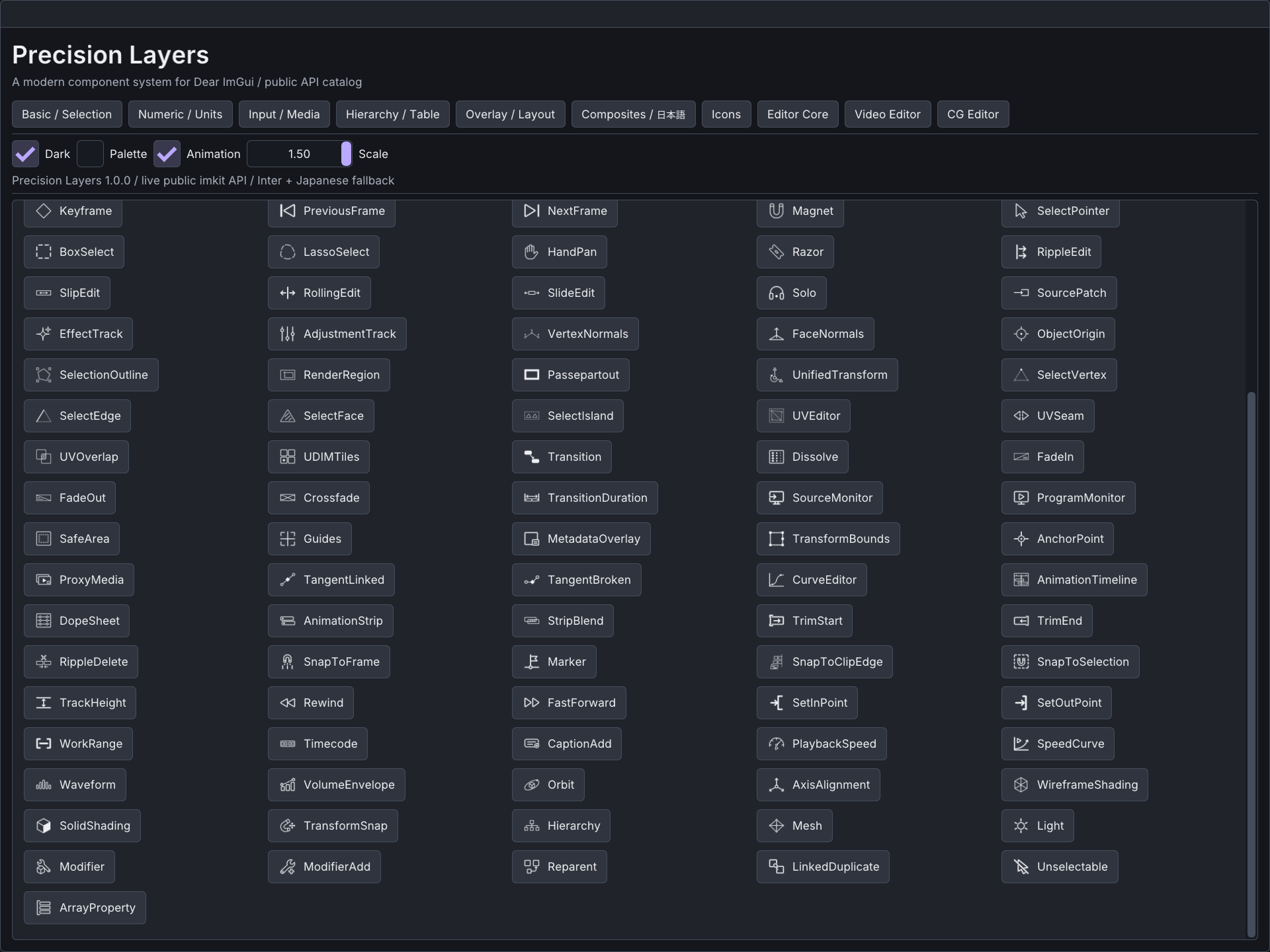
Icons
Use this when
Section titled “Use this when”Use the bundled icon catalog for common tool actions while keeping atlas upload and GPU resources with the renderer.
Gallery capture
Section titled “Gallery capture”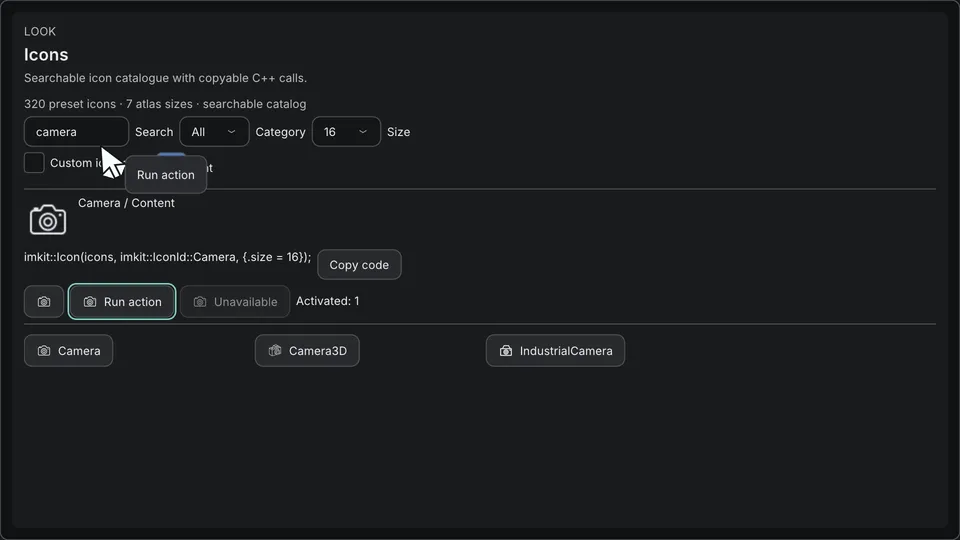
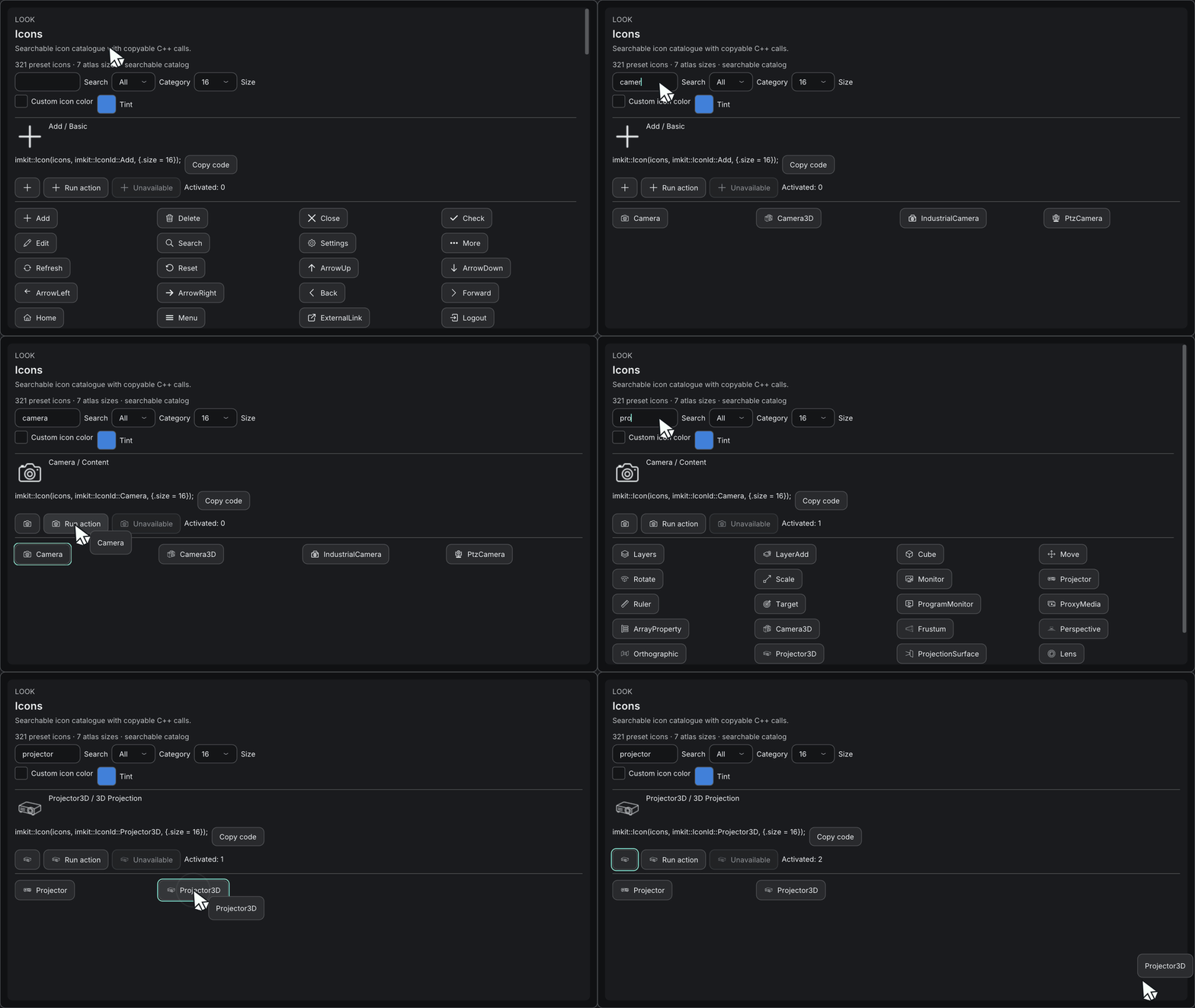
Icons — atlas and labeled actions · Open the native Gallery animation
Minimum drawing example
Section titled “Minimum drawing example”#include <imkit/icons.h>
bool DrawSaveAction(imkit::IconAtlas& icons) { return imkit::IconButton("save", icons, imkit::IconId::Save, "Save document");}Example type: Complete function example. The host binds atlas textures before drawing and handles the returned action.
Integrate with the application
Section titled “Integrate with the application”Upload one of the seven supported atlas sizes through the host renderer, bind it to IconAtlas and release GPU resources after drawing completes.
Icons do not add a renderer, image decoder, file lookup or operating-system accessibility bridge.
Related API and guides
Section titled “Related API and guides”The timeline/3D extension appends 32 IDs, including Empty, Frustum, Camera3D,
Projector3D, geometric primitives and light types. cg::ObjectView::icon lets hosts
select a semantic glyph without extending ObjectKind. The existing IDs retain their order.
The icon catalog holds 321 entries in 21 categories: 238 ImageGen-generated monochrome
glyphs plus 82 code-authored native control and drawing representations (including the 32 LED and live-surface icons added in 4.0) that need no source bitmaps.
The artwork is distributed with this repository under its MIT license. The original
generations and their prompts are retained in assets/icons/originals and
assets/icons/prompts; provenance.json records source hashes. Original images use
black strokes because that produced cleaner alpha edges. Packaged PNGs and embedded
atlases use white RGB with the generated alpha, so any tint works on light or dark UI.
Host integration
Section titled “Host integration”Include <imkit/imkit.h> (or <imkit/icons.h>). There is no new renderer dependency,
context creation, image decoder, file lookup, or runtime download in the library.
imkit::IconAtlas icons; // Owned alongside your renderer resources.for (int size : imkit::IconPixelSizes) {    const auto pixels = imkit::GetIconAtlasPixels(size);    // Your renderer: upload pixels.width x pixels.height RGBA8, straight alpha.    // Use linear filtering, clamp-to-edge, no mipmaps. Retain the GPU resource.    ImTextureRef texture = UploadRgbaTexture(pixels.width, pixels.height, pixels.rgba);    icons.SetTexture(size, texture);}
// Within the host's usual ImGui frame/window:imkit::Icon(icons, imkit::IconId::Search); // 20 logical pixels; current text color.imkit::Icon(icons, imkit::IconId::Warning,            {.size = 24, .color = ImVec4(0.9f, 0.6f, 0.1f, 1)});if (imkit::IconButton("save", icons, imkit::IconId::Save, "Save document")) {    SaveDocument();}if (imkit::IconLabelButton("open", icons, imkit::IconId::FolderOpen, "Open")) {    OpenDocument();}ImGui::BeginDisabled();imkit::IconButton("delete", icons, imkit::IconId::Delete, "Delete selection");ImGui::EndDisabled();
// After the last draw submission using these resources has completed:icons.Clear();// Destroy your six GPU resources using the renderer's normal lifetime rules.UploadRgbaTexture, SaveDocument and OpenDocument above are host functions,
not ImKit APIs. See examples/gallery/main.cpp for the concrete OpenGL upload.
The existing IconButton(id, ImGuiDir, accessibleLabel) overload is unchanged.
API behavior
Section titled “API behavior”GetIconCatalog()returns stable IDs, English names and categories;GetIconInforeturns null for invalid IDs. The 321 entries followassets/icons/catalog.json.GetIconAtlasPixelsaccepts exactly 12, 16, 20, 24, 32, 48 or 64. The returned CPU data is immutable with process lifetime; unsupported sizes return an empty view.GetIconRegionreturns the corresponding normalized UV rectangle. Two transparent pixels around each atlas cell prevent adjacent glyphs bleeding with linear filtering.- Upload and bind all seven sizes. Rendering selects the smallest level sufficient for
options.size * max(DisplayFramebufferScale), capped at 64. Sizes above 64 physical pixels upscale the bitmap and can look soft.options.sizedefaults to 20; invalid or nonpositive values use that default. Application UI scaling should scale this logical size too; the Gallery demonstrates it. - An absent color inherits
ImGuiCol_Text. Explicit tint affects the glyph; button text keeps the theme text color. Both honor style alpha, including disabled state. - Buttons use native Dear ImGui button hit testing, focus, hover, active and disabled
behavior. Supply a stable non-null
id; each control owns an ImGui ID scope. Labels provide hover/focus tooltips. This is not an operating-system accessibility bridge. Label text after##is not drawn. - An invalid ID or an unbound selected raster level draws no glyph.
Iconstill reserves its layout space; buttons are disabled rather than allowing blank actions. - Each renderer or independently managed context should own an
IconAtlas. Nothing is globally registered.Clearonly unbinds; it does not delete GPU resources.
Assets and reproduction
Section titled “Assets and reproduction”assets/icons/{12,16,20,24,32,48,64} contains 2016 individual transparent PNGs.
assets/icons/atlases contains seven atlas PNGs. All are included by CMake install
under share/imkit/icons. Headers and compiled embedded data are installed normally.
Original large images are kept in the source checkout, not copied into the SDK.
The built-in image generation tool was used individually for each asset; no API key
or generation tool is required by consumers. assets/icons/prompts records the exact
generation prompts. Generated raster geometry is approximate, not a mathematically
identical stroke system or a vector icon font.
To rebuild derived assets after replacing an original, install Pillow in your authoring
Python environment and run python tools/build_icons.py. This preserves source images,
normalizes their visual extent, converts RGB to white without replacing alpha shapes,
and produces PNG variants plus src/icons_data.inc. Missing originals are errors.
Run python tools/build_icons.py --check for image/atlas validation. Python and Pillow
are not build or runtime dependencies for C++ consumers.
Atlas rows are derived from catalog length. metadata.json records dimensions,
categories and asset counts, and the C++ UV calculations use the generated layout.
stable-ids.json freezes the original 120 names in order; new IDs must be appended.
The generator checks the complete public enum against the catalog and validates
original hashes, every derived image and every atlas region.
Native Gallery
Section titled “Native Gallery”The Icons page provides category/name search, seven sizes, tint and interaction states. The final catalog has 321 icons (120 stable existing IDs + 200 additions): 238 ImageGen originals plus 82 native representations, 2240 size variants and seven atlases. The operation map records 250 uses, including 55 native control/drawing representations that do not need separate bitmaps.
Additional 3D symbols are available through ObjectView::icon and the searchable catalog.
Current checks are recorded in timeline editing. Generation
validates every original/hash/size/atlas. The image below and
Editor 1.0 acceptance are the previous baseline.